

Skip to content

FS-logo-glyph_blue_500x105

No-Code Robot Programming from Simulation to Production

Program and simulate industrial robots without writing robot-specific code.

Fuzzy Studio turns your 3D models into robot trajectories in a visual digital twin.

Simply:

  1. Import your CAD
  2. Define the process
  3. Generate and simulate the trajectory

From digital twin to production — without programming every robot point manually.

Try Fuzzy Studio for free  

No Code. No Point-by-Point Teaching. No Robot-Specific Programming.

Fuzzy Studio makes industrial robot programming visual.

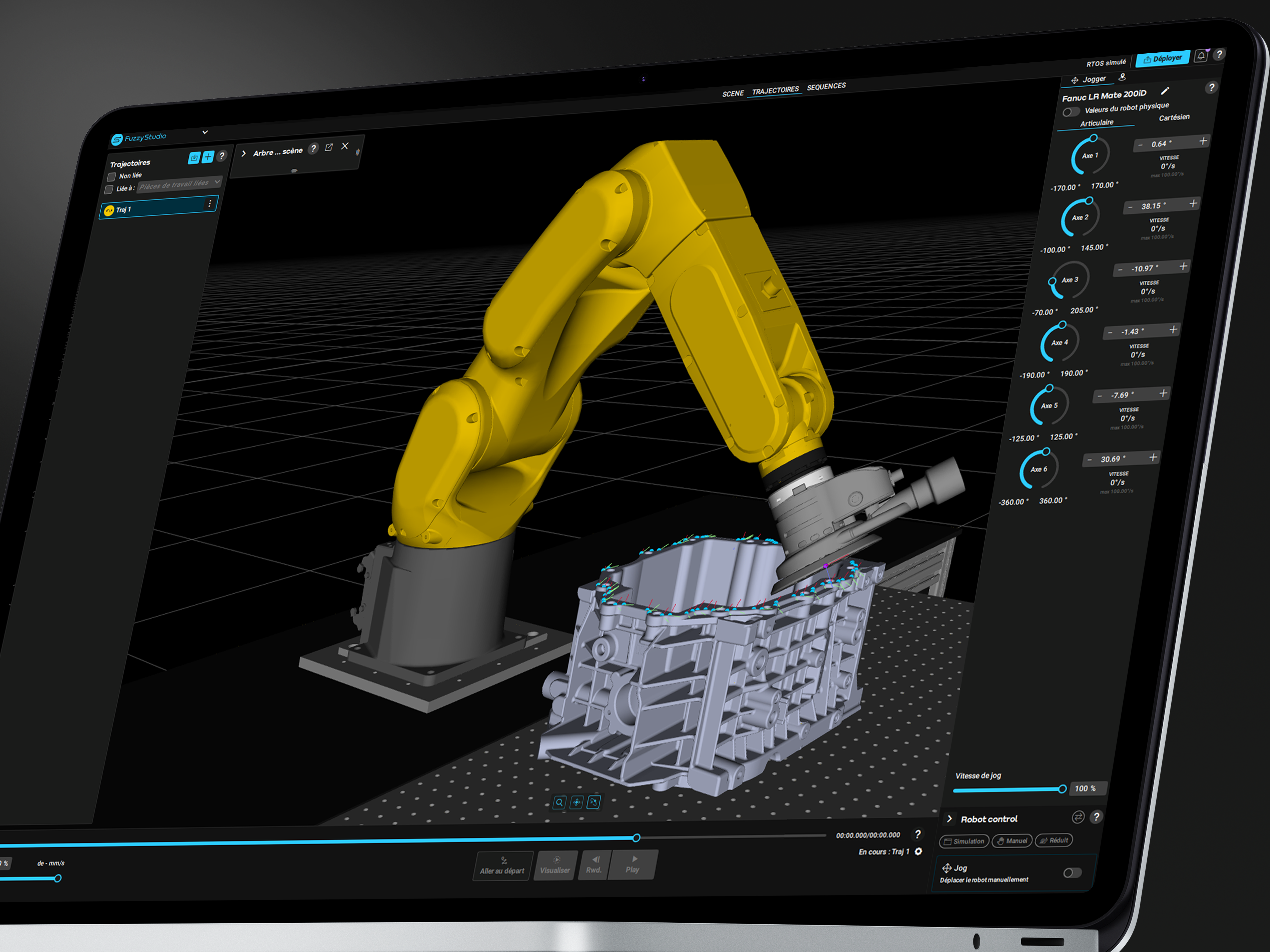
Start from the geometry of your part, define what needs to be done and generate the robot trajectory directly in a 3D environment.

No manual point-by-point programming.

No need to build every trajectory from scratch.

No need to start with a robot-specific programming language.

Program the process. Not every robot point.

Capture FS - Fausse 3D
Test Screen Studio _1

Turn Your Process Experts into Robot Programmers

Fuzzy Studio was built to make advanced robot programming accessible beyond robotics specialists.

Engineers and process experts work directly with the part and the manufacturing operation they already understand.

Select the geometry.

Define the task.

Adjust the process.

Simulate the result.

Fuzzy Studio translates that process knowledge into robot motion.

Your team focuses on the process. Fuzzy Studio handles the trajectory.

Finally, Robot Programming Built for Flexible Production

Traditional robot programming works well when the same application runs for years.

Flexible manufacturing is different.

New parts.

Small batches.

Complex geometries.

Frequent production changes.

Fuzzy Studio helps teams create and adapt robotic applications when production changes.

Ideal for:

  • High-mix production
  • Small and medium batches
  • Complex parts
  • Frequent changeovers
  • New product introduction
  • Flexible robotic cells

Change the part. Adapt the application. Keep producing.

Test Screen Studio _3

Why is Fuzzy Studio Differente ?

Fuzzy Studio turns a 3D digital twin into robot-ready trajectories without traditional robot programming.

PROGRAM OFFLINE. PRODUCE ONLINE.

Robot programming shouldn't mean stopping production.

Prepare and validate new applications virtually while the physical robot remains available for production.

Build the next job.

Test the trajectory.

Validate the application.

Then deploy it to the production environment.

Less programming on the shop floor. More robot uptime.

ONE ENVIRONMENT. MULTIPLE ROBOT BRANDS.

Your manufacturing process shouldn't be locked into one proprietary robot language.

Fuzzy Studio provides a common programming environment across compatible industrial robot ecosystems, including:

ABB · FANUC · KUKA · Stäubli · Universal Robots · Yaskawa

Change the robot without changing the way you think about the process.

Your process knowledge stays yours.

PROGRAM THE PROCESS, NOT THE ROBOT.

Traditional robot programming starts with robot positions.

Fuzzy Studio starts with the manufacturing task.

The software uses 3D geometry to help create trajectories for:

  • Surfaces
  • Contours
  • Curves
  • Points

Import the part.

Select the geometry.

Define the operation.

Generate the robot path.

CAD in. Robot trajectory out.

BUILD AND TEST YOUR APPLICATION IN A DIGITAL TWIN.

Prepare the robotic application before using the physical robot.

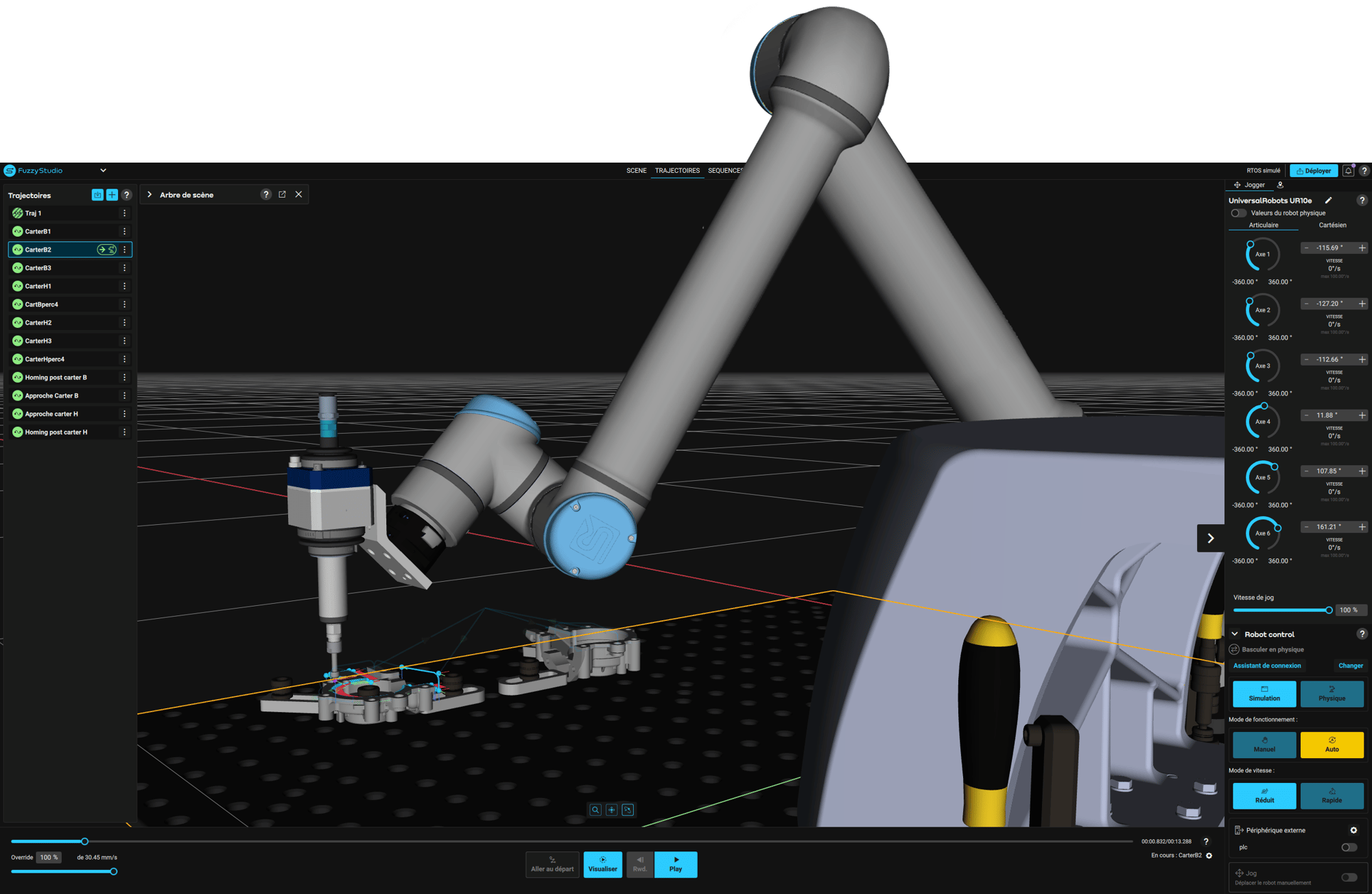
Fuzzy Studio creates a 3D environment containing the robot, tool, workpiece and production setup.

Use it to:

  • Visualize robot motion
  • Check reachability
  • Identify collisions
  • Validate tool orientation
  • Optimize robot positioning
  • Refine trajectories

Find problems in simulation — before they reach production.

From virtual validation to real robot motion.


Watch Fuzzy Studio in action

 Intercontrôle, a Framatome subsidiary, selected Fuzzy Studio for its Smart Trajectory project.

As part of this project, Intercontrôle used Fuzzy Studio, the 3D robotic simulation and programming software developed by Fuzzy Logic Robotics, to generate trajectories for its industrial robots. This collaboration demonstrates how simplified robot programming and automated trajectory generation can address the technical challenges of complex industrial environments, particularly in the nuclear industry.
 

Key Features

Geometry-Based Robot Programming

Create robot trajectories directly from the geometry of your parts.

Work with surfaces, contours, curves and points instead of manually teaching every robot position.

From geometry to motion.

Automatic Robot Path Generation

Define the process and generate structured robot trajectories from your 3D model.

Configure parameters such as:

  • Tool orientation
  • Path direction
  • Speed
  • Spacing
  • Trajectory strategy

Fuzzy Studio does the path planning so you can focus on the process.

3D Robot Simulation

Simulate the application in a digital twin before running it on the physical robot.

Visualize trajectories, validate robot configurations and identify potential issues earlier in the engineering process.

Test virtually. Produce confidently.

Surface, Contour and Point-Based Applications

Surface

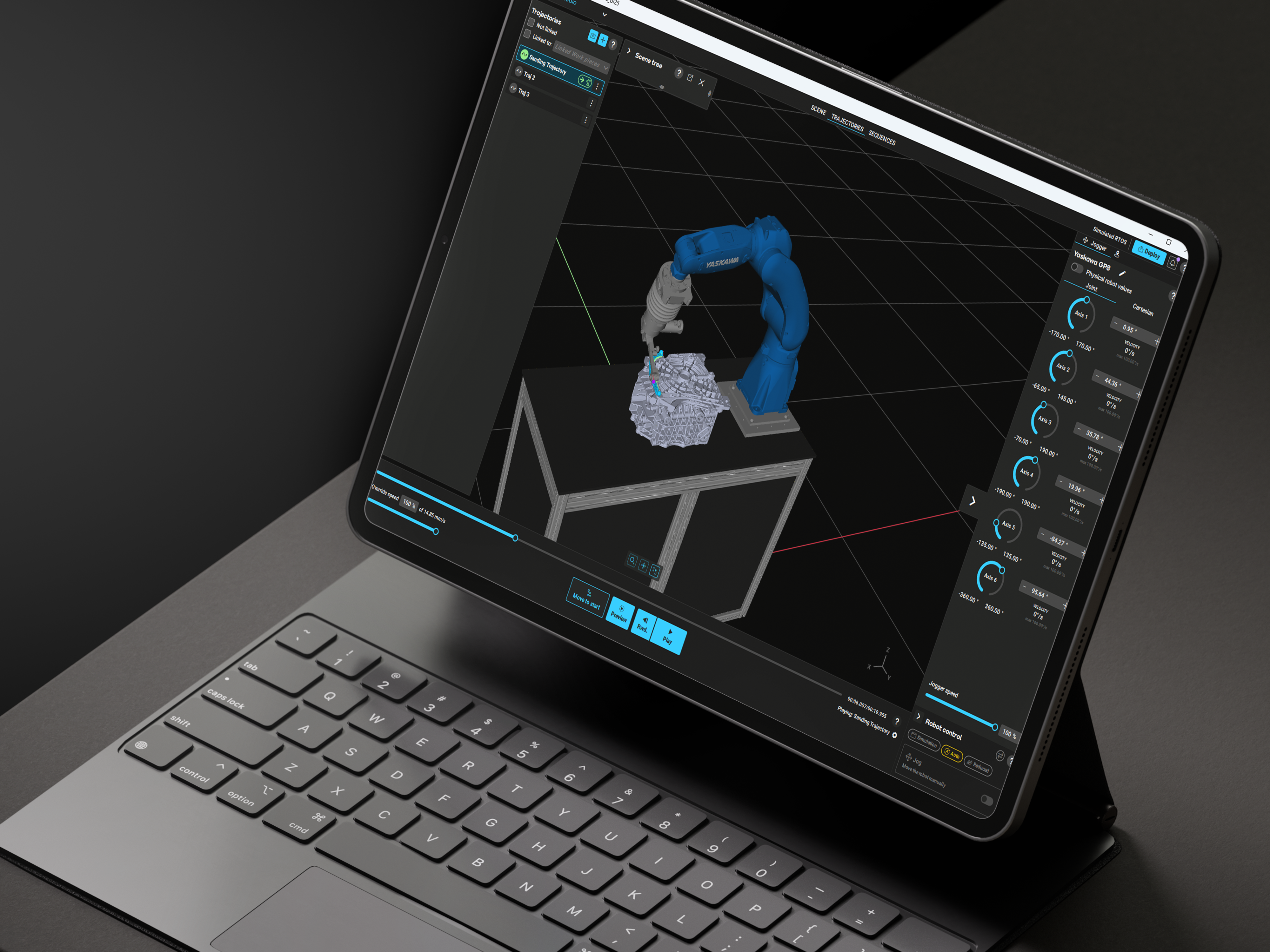
Sanding · Grinding · Polishing · Painting · Coating · Surface treatment

Contour

Deburring · Cutting · Trimming · Sealing · Dispensing

Point

Drilling · Riveting · Inspection · Measurement · Assembly

One software.

Different processes.

The same programming logic.

Robot-Independent Programming

Build applications around the process instead of a proprietary robot language.
Fuzzy Studio separates your application logic from the robot hardware so you can work across different compatible robot brands.
 

One process. Multiple robots.

The Fuzzy Logic Plateform

From Fuzzy Studio to Production

Fuzzy Studio is the programming and simulation layer of the Fuzzy Logic robotics platform.

View the Platform
FS-glyph_blue

Fuzzy Studio

Design · Program · Simulate · Validate

Define what the robot needs to do.

SOFTWARE
RTOS-1

Fuzzy RealTimeControl

Connect · Control · Execute

Execute robot trajectories through a real-time robot control layer.

SOFTWARE
HARDWARE
Together:
Digital Twin → Robot Programming → Real-Time Control → Production
Schema Studio - RTC - Robot

Start Programming Robots Differently

Industrial robot programming doesn't have to start with code or hundreds of manually taught positions.
Start with the part.
Define the process.
Generate the trajectory.
Simulate it.
Then move to production.
 
Fuzzy Studio. Digital Twin to Production.